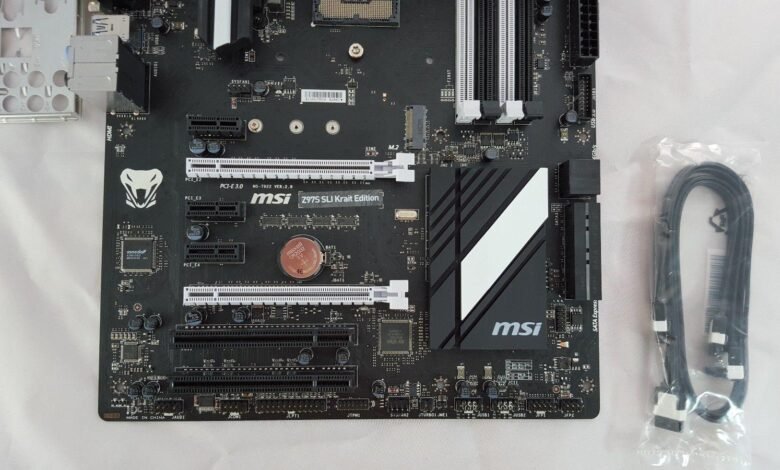
The jtpm1 motherboard is a specialized header designed to connect a Trusted Platform Module (TPM) to your system, commonly found on modern MSI motherboards. It plays a critical role in enabling advanced security features like secure boot, BitLocker, and Windows Hello. Understanding the jtpm1 motherboard is essential for PC builders and anyone who wants to enhance their system’s security and comply with Windows 11 requirements.

This header is often overlooked because it doesn’t control fans or RGB lighting, but its importance cannot be understated. The jtpm1 motherboard provides a hardware-based layer of security that protects sensitive information. With the growing need for encryption and trusted computing, connecting a TPM module via this header is a simple yet crucial step in modern PC setups.
What Is a JTPM1 Motherboard Header?
A jtpm1 motherboard header is a 12-1 pin connector specifically designed to attach a TPM module to your motherboard. The layout of this header includes a missing key pin that ensures correct orientation, preventing hardware damage during installation. This design allows for secure communication between the TPM and motherboard firmware, which is vital for system security.
Unlike typical motherboard headers for fans or RGB lighting, the jtpm1 motherboard header is exclusively for TPM modules. Its placement is usually along the bottom edge of MSI motherboards, making it easily identifiable. This dedicated connector is essential for anyone who wants to enable hardware-level encryption and ensure compatibility with modern operating systems, particularly Windows 11.
JTPM1 Motherboard Meaning and Function
The jtpm1 motherboard meaning revolves around its role as a security bridge between your motherboard and a TPM 2.0 module. A TPM, or Trusted Platform Module, is a hardware chip that stores cryptographic keys and enhances the security of your system. By connecting the module to the jtpm1 motherboard, users can enable advanced features like secure boot, disk encryption, and hardware-based authentication.
Understanding the jtpm1 motherboard is crucial because it prevents improper connections that could damage the header or module. While some modern CPUs offer firmware TPM (fTPM), using a dedicated TPM module via the jtpm1 motherboard offers added stability and reliability. This makes it ideal for high-security systems or computers handling sensitive personal or enterprise data.
How to Use the JTPM1 Header
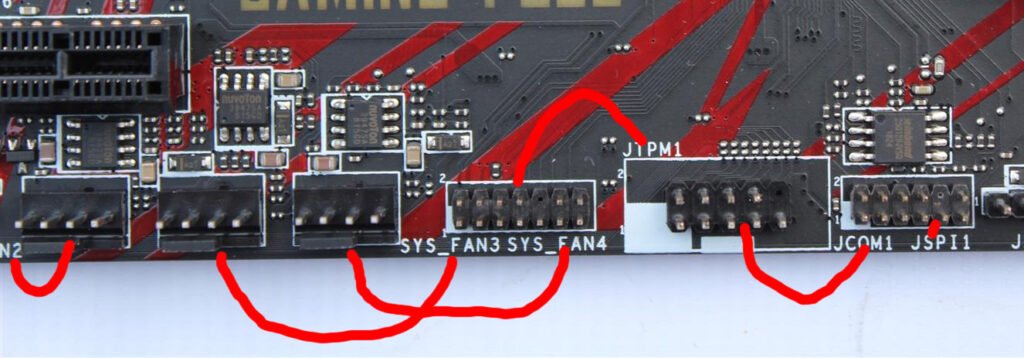
Using the jtpm1 motherboard header requires careful attention to orientation and compatibility. First, ensure your motherboard supports a TPM module via this header. Align the module correctly with the missing key pin and gently insert it into the header, avoiding any force that could bend the pins. Correct installation is critical for ensuring functionality and preventing damage.
After installation, enter the BIOS to verify that the TPM module is recognized. The jtpm1 motherboard will then allow the operating system to enable encryption and security features. It’s important to remember that fans, RGB strips, or other connectors should never be plugged into this header, as doing so may permanently damage the motherboard and void the warranty.
Compatibility and TPM Module Selection
Not every motherboard includes a jtpm1 motherboard header, so checking your specific motherboard model is necessary before purchasing a TPM module. Most MSI motherboards, including Z590, B560, H510, Z490, and newer series, feature this header. Selecting a compatible TPM 2.0 module ensures full functionality and security.
The jtpm1 motherboard requires a 12-1 pin TPM module that matches the motherboard’s specifications. Before installing, verify whether your system already uses fTPM, as running both can cause conflicts. Proper selection of the TPM module connected through the jtpm1 motherboard ensures your system can use secure boot, BitLocker, and other hardware-based security features effectively.
Troubleshooting and Common Issues
Misusing the jtpm1 motherboard is a common issue for first-time builders. Plugging in a fan, RGB strip, or other non-compatible device can permanently damage the header or the module. It is essential to consult the motherboard manual and carefully follow installation instructions when using the jtpm1 motherboard.
Other problems may arise if the TPM module is not detected in BIOS or Windows. Ensuring the connection to the jtpm1 motherboard is secure, correctly oriented, and compatible often resolves these issues. Updating the motherboard BIOS may also help, allowing the TPM module to communicate properly and enabling Windows 11 security features without interruption.
Benefits of Using a JTPM1 Motherboard
The jtpm1 motherboard provides several key advantages for modern PC systems. It enables hardware-based encryption and security features, which protect sensitive data against malware or unauthorized access. TPM modules connected through the header also improve authentication processes, making login security more robust and reliable.
Using the jtpm1 motherboard ensures your system is compliant with Windows 11 requirements. It also allows users to take full advantage of BitLocker, Secure Boot, and Windows Hello, which are increasingly important for both personal and professional computing environments. A properly installed TPM via the jtpm1 motherboard adds a significant layer of trust and protection to any system.
Conclusion
The jtpm1 motherboard is a critical yet often misunderstood component of modern PC security. By connecting a dedicated TPM module, this header enhances encryption, enables Windows 11 features, and provides a hardware-based security layer. Understanding its meaning, function, and proper usage is essential for building a secure, future-proof system.
Investing time in learning about the jtpm1 motherboard ensures that users avoid common mistakes, select compatible modules, and maximize system security. With careful installation, the jtpm1 motherboard becomes a small but powerful addition that safeguards both personal and enterprise data, ensuring your system meets modern standards for protection and compliance.